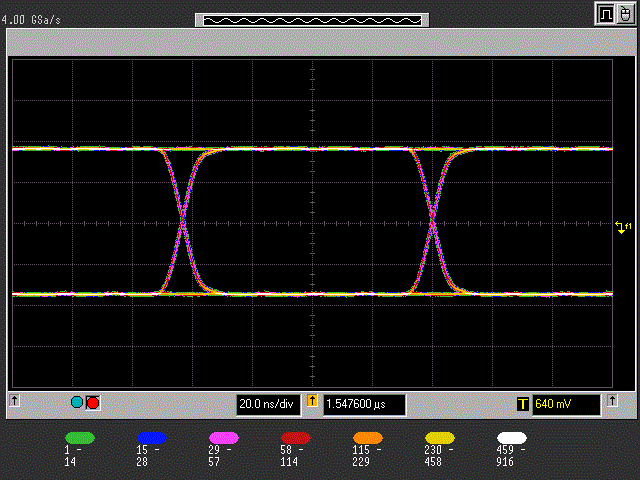
Four new benches for the HP 54845A Infiniium are on the Benches page, one of them a mask test that sets the scope up and loads an eye mask for USB full speed, USB high speed, 10BASE-T or 100BASE-TX. Five mask files come with it. Firmware V1.6.2610222113 addresses a round of issues in the ++ protocol, and VisaMCP now carries a knowledge base of more than 1200 instruments.
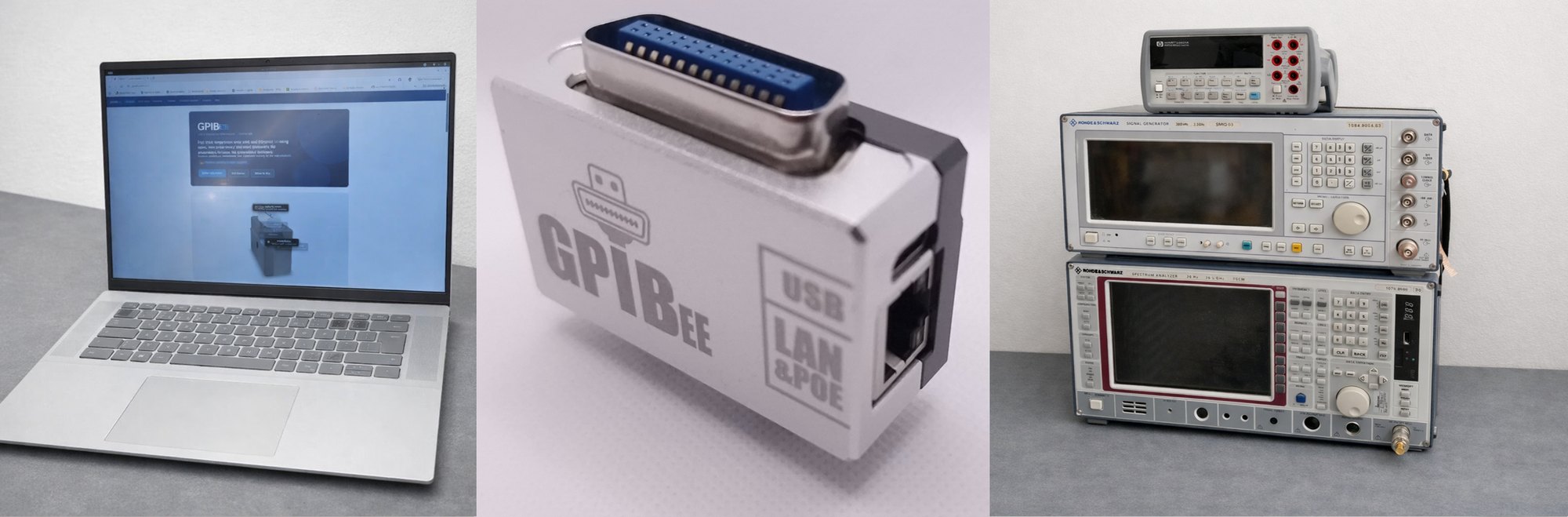
GPIBEE is developed by us — the makers of USBGPIB, an open-source USB-to-GPIB adapter that has been continuously maintained for over 7 years. That experience — hard-won compatibility fixes across generations of measurement instruments — went directly into GPIBEE's design. GPIBEE is a new development built on those lessons, adding Ethernet with Power over Ethernet, support for multiple simultaneous GPIB instruments, and significantly higher transfer speeds — thanks to a high-speed interface and an efficient GPIB implementation, also due to tristate-capable drivers instead of open-drain mode. At its core, GPIBEE's DNA is built around speaking standard Test & Measurement protocols through standard VISA flows, so it works the way instruments and test software already expect.
PC / Mac / Linux · LabVIEW · MATLAB · Python · VISA · one or multiple PCs at once
480 Mbit USB · 100 Mbit Ethernet · PoE — GPIBee
Up to 15 GPIB instruments — oscilloscopes, multimeters, power supplies & many more · fast, low-latency control
Works with
PythonPyVISA
GNU OctaveGPIB Toolbox
Linux GPIB
Linux GPIBkernel driver
MATLAB
MATLABInstrument Control
LV
LabVIEWVXI-11 / VISA
NI
NI-VISAAuto-discovery
KS
Keysight IOIO Libraries Suite
R&S
R&S VISARsVisa
Virtually any VISA-compatible software works — the list above covers the most common environments. Thanks to Linux GPIB, USBTMC and Prologix-compatible protocol modes, GPIBEE is also widely supported by non-VISA software.
MATLAB is a registered trademark of The MathWorks, Inc. LabVIEW and NI-VISA are trademarks of National Instruments. Keysight IO Libraries Suite is a trademark of Keysight Technologies. R&S VISA is a trademark of Rohde & Schwarz. Python is a trademark of the Python Software Foundation. All other trademarks are property of their respective owners.
Product Overview
GPIBEE is a compact, modern GPIB bridge that connects legacy IEEE-488 instruments to today's computers. GPIB goes by several names depending on the instrument's era and manufacturer — HPIB, GPIB, IEC-625, and IEEE-488 all refer to the same underlying bus, and GPIBEE works with instruments labeled under any of them. It connects via USB-C (creating a private USB Ethernet interface) or via standard Ethernet — and exposes your instruments through the VXI-11 protocol that VISA-based software understands natively. Multiple simultaneous sessions are fully supported: several GPIB instruments can be controlled independently over the same bus, even from multiple PCs at the same time.
GPIB role:GPIBEE currently operates as a GPIB controller and VXI-11 bridge; GPIB device (instrument) emulation is not yet supported — it's on the roadmap for firmware version V1.7.
Supported interfaces & protocols
Interface
Mode
Protocol
USB
USB Network Mode
VXI-11 over USB-Ethernet (CDC NCM)
USBTMC Mode
USBTMC (USB Test & Measurement Class)
LinuxGPIB Mode
linux-gpib native interface
++ Protocol mode
Prologix-compatible (++ commands) via CDC UART (virtual COM port)
Ethernet
Concurrent not mutually exclusive
VXI-11 over TCP/IP
Prologix-compatible (++ commands)
VISA resource strings & setup examples:See the PyVISA tutorial and the User Manual for complete resource string examples and configuration details.
Electrical & physical
Power: USB-C (5 V, ≤ 500 mA) or 802.3af Power over Ethernet (PoE) — no additional supply needed
USB: USB-C, USB 2.0 High Speed (480 Mbit/s) — USBTMC, Network (CDC NCM), UART (Prologix-compatible), Linux GPIB (USBTMC variant)
LEDs: green (Ethernet mode), orange (USB mode), both indicate data activity
Button: factory reset (5× press), firmware-update mode (5 s hold), or press once for fast web-interface access in USBTMC mode
What makes GPIBEE different
Advantages of GPIBEE
GPIBEE is designed for engineers and scientists who want reliable GPIB control without the complexity of legacy drivers or dedicated software.
✅
No Driver Headaches
WindowsmacOSLinux
Works straight out of the box — over USB or Ethernet — no driver installation, no GPIB controller cards. Both USB network and standard Ethernet are natively supported by all modern operating systems.
Dual Connectivity
Use GPIBEE over USB High Speed (480 Mbit/s, private USB-Ethernet link) or over standard Ethernet. Switches automatically when an Ethernet cable is plugged in — no reconfiguration needed.
🆕
Industry-Standard Protocols
VXI-11, USBTMC, and VISA are the same open standards used by every major instrument vendor. GPIBEE works plug-and-play with LabVIEW, MATLAB, Python/PyVISA, and virtually any VISA-based software — no proprietary drivers or software needed.
🧬
Not a Protocol Clone
Some cloned USB-to-GPIB adapters mimic other manufacturer's proprietary protocol without authorization — since that protocol isn't public, the vendors can lock out these unauthorized devices at any time, and compatibility is already inconsistent under any operating system. GPIBEE instead speaks VXI-11, an open protocol built for GPIB and natively understood by VISA, for broad, predictable compatibility.
📊
Built-in Web Interface
A full browser-based console lets you send GPIB commands, monitor status, and change settings without any installed software — works on desktop and mobile alike.
⚡
Multiple Protocols
Supports VXI-11 over Ethernet and USB, Prologix-compatible ASCII protocol over TCP/IP and USB UART, USBTMC, and Linux GPIB — covering virtually all test-automation frameworks.
🔎
Auto-Discovery
LXI, VXI-11 discovery, mDNS (Bonjour/Avahi), and SSDP broadcast let VISA resource managers find GPIBEE automatically on the network — no manual IP entry required.
🔌
Flexible Power Options
Power via USB-C or 802.3af Power over Ethernet (PoE) — no dedicated power cable needed. The Ethernet port is galvanically isolated (including PoE), protecting your instruments and host PC.
🔒
Private USB Network
In USB mode, GPIBEE creates its own isolated DHCP-served network. Your instrument traffic stays private and never touches your corporate LAN. VXI-11 runs over this USB connection too, so you still get multiple simultaneous GPIB instruments and concurrent access from more than one application — the same benefits as over Ethernet.
🔧
Field-Updatable Firmware
GPIBEE exposes itself as a virtual USB drive — copy the firmware file onto it and the update is done. No special tools, no DFU utilities. Device settings are preserved across updates.
Developed & Made in Germany
Every GPIBEE unit is developed, assembled, and tested in Germany. Firmware and software are actively maintained by the same team that built the hardware. Technical support comes directly from the manufacturer — no reseller in between.
See it in action
Watch the GPIBee Intro
A walkthrough of GPIBEE's USB & Ethernet connectivity and VISA integration
New in firmware V1.6
GPIBEE Benches: give any instrument a web interface
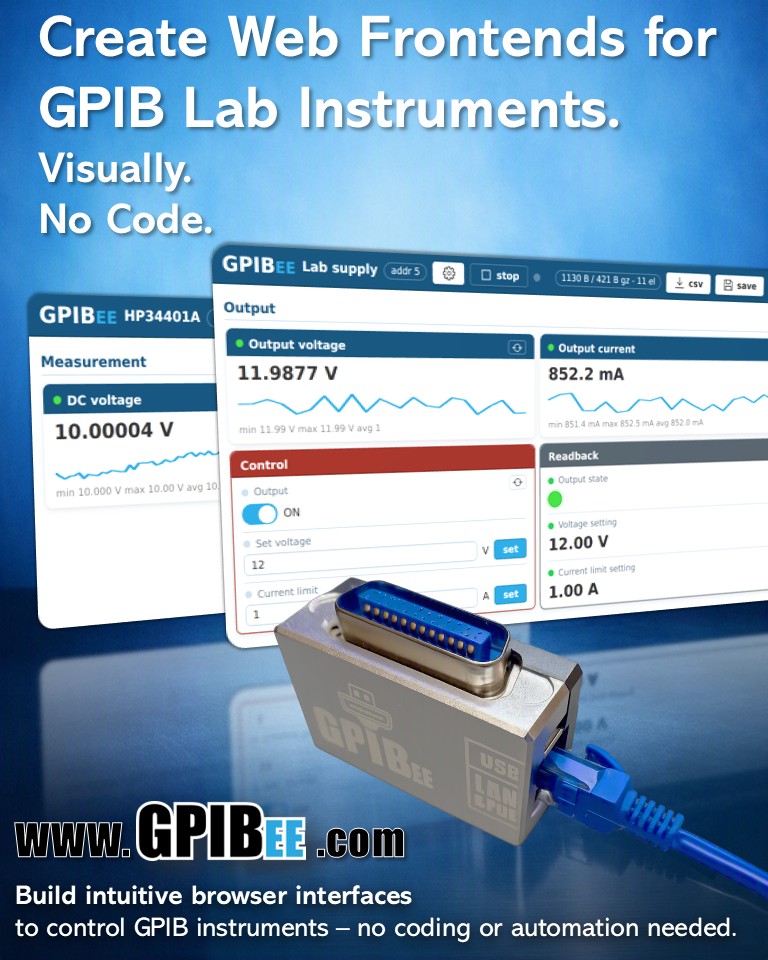
Click together a browser front panel for any instrument on the bus: readouts, switches, selectors and buttons, without writing a line of software. The panel is stored on the GPIBEE itself, so it is there from any browser on the network. Laptop, phone or tablet, nothing installed.
You fill in fields, not code. Every element is a label, a style and the GPIB command behind it. A test button shows the raw reply, its bytes in hex, and the value the card will display.
Live readings with a trend line. Rolling minimum, maximum and average, plus a CSV download of everything the bench has read.
Real controls. Switches, selectors, entry fields and buttons: flip a supply's output from another room, change a range, trigger a self-test.
Buttons that download files. Scope screenshots, captured waveforms, saved setups and internal logs land straight in your download folder.
Several benches, stored side by side. One GPIBEE holds a front panel for every instrument on your bus, and you pick the one you want from a dropdown. Only the selected bench runs, so nothing polls the bus behind your back.
Benches travel. Download one as a small .gpibee file and send it to somebody with the same instrument.
 Developed, assembled & tested in Germany